How to Optimize Google Business Profile for Local SEO
Your Google Business Profile is your business’s digital front door. Before you can get to the fun stuff—like adding great photos or posting updates—you need to build a solid foundation. Getting the core details right from the very beginning is absolutely critical, as these elements are the bedrock of how Google understands, trusts, and ultimately ranks your business in local search.
Skipping these foundational steps is like building a house on sand. Sooner or later, it’s going to cause you problems.
Building Your Foundational GBP Profile
The very first, non-negotiable step is to claim and verify your profile. This is the only way you get the keys to your own listing. Without verification, you’re just a bystander, powerless to respond to reviews, fix inaccurate information, or add the kind of details that actually bring customers through your door.
Claiming and Verifying Your Business
The verification process is simply Google’s way of making sure your business is legitimate and that you’re the one who should be in control. It’s a huge trust signal for the algorithm. Once you prove you’re real, Google starts taking you more seriously. The most common method is a postcard mailed to your business address with a verification code, but some businesses may be eligible for phone or email verification.
This process is pretty straightforward, as you can see here:
You claim ownership, fill out your profile with accurate info, and then go through a quick verification. This simple journey solidifies your control and immediately builds credibility with both Google and your potential customers.
The Power of Categories and Attributes
Once you’re verified, the next choice you make is one of the most important for your local ranking: your business categories.
Your primary category needs to be the most specific and accurate description of what you do. For example, a law firm shouldn’t just pick “Lawyer.” If you specialize in family law, you should choose “Family Law Attorney” or “Divorce Lawyer.” A plumber shouldn’t select “Contractor”; they should choose “Plumber.” Get specific.
After locking in your primary category, add relevant secondary ones. That same “Family Law Attorney” might also provide “Estate Planning” or “Mediation Services.” The “Plumber” might add “Water Heater Installation & Repair Service.” These extra categories help you show up in a wider net of relevant searches without confusing Google about your main specialty.
Attributes are another fantastic tool for standing out. These are the specific features that help a customer choose you over a competitor down the street. A local cafe can add attributes like “Outdoor seating” and “Free Wi-Fi” to attract remote workers. A mechanic can add “Oil change” or “Brake service” to capture high-intent searches. Be thorough here; attributes like “Wheelchair accessible entrance” or “Veteran-led” can be powerful decision-makers for customers.
These small details matter.
Maintaining NAP Consistency
NAP stands for Name, Address, and Phone number. It is absolutely crucial that this information is 100% consistent everywhere it appears online—on your website, your GBP, Yelp, Bing Places, and any other directory.
Even a tiny variation, like using “St.” on one site and “Street” on another, or “Co.” versus “Company,” can confuse search engines. This confusion erodes the trust they have in your business’s data, which can directly harm your local rankings.
A consistent digital footprint is a massive signal of reliability and authority to Google. When your core business information is identical everywhere, it validates your existence and location, which is precisely what Google’s local algorithm is looking for.
To make sure you’re hitting all the essential points, here’s a quick checklist of the core elements and why they matter.
GBP Core Elements Optimization Checklist
This table summarizes the foundational elements you absolutely must get right. Optimizing these areas is the fastest way to improve your local search visibility and build customer trust right from the start.
| Element | Optimization Action | Impact on Ranking |
|---|---|---|
| Business Name | Use your real-world business name. Do not add keywords. | High. Consistency is key for trust and brand recognition. |
| Primary Category | Choose the most specific category that defines your main service. | Very High. This is a primary factor for search relevance. |
| Secondary Categories | Add all other relevant categories for your services. | High. Broadens your reach for related search queries. |
| Address | Ensure it is 100% accurate and matches all other online listings. | Very High. Critical for Map Pack and “near me” searches. |
| Phone Number | Use a primary, local phone number and keep it consistent. | High. Consistency and accuracy build trust. |
| Website | Link to your website’s homepage or a relevant location page. | High. Connects your GBP to your main digital asset. |
| Business Hours | Keep hours accurate, including holidays and special events. | Medium. A major factor for user experience and trust. |
Getting these basics right isn’t just busywork—it pays off. Research shows that businesses with fully completed and verified profiles appear in search results 80% more often than their incomplete competitors.
This visibility leads directly to more business. Verified profiles get four times more website visits, 12% more calls, and 10% more requests for directions. On top of that, businesses with complete profiles are seen as 2.7 times more reputable by customers.
Filling out every single field in your profile’s ‘Info’ tab isn’t just about giving customers information; it’s about feeding Google’s algorithm the exact data it needs to match you with people searching for what you offer. This is the core principle of search optimization. To dig deeper into how Google connects user intent with business information, check out our guide on what is semantic SEO. This is where truly effective GBP optimization begins.
Creating a Visually Compelling Business Profile
In local search, people judge a book by its cover. Long before a potential customer reads your glowing reviews or even your business description, they see your photos. That makes the visual side of your Google Business Profile one of the most powerful tools you have to grab attention and build instant trust.
Think about it. A profile with just a logo and a single, grainy storefront picture feels abandoned. It doesn’t inspire confidence. Now, picture a profile packed with high-quality, recent photos and videos. It tells a story of an active, thriving business that’s proud of its work. This visual energy signals to both Google and your future customers that you’re open, engaged, and ready for them.

Mastering Your Profile Photos
Your visual strategy really boils down to three core image types. Each one has a specific job in shaping how people see your business. Nailing these three is the foundation of a professional and trustworthy profile.
- Logo: This is your digital handshake. Use a high-resolution, square image (Google likes 720×720 pixels). It’s your brand identifier, helping customers spot you instantly in the crowded Local Pack and on Maps.
- Cover Photo: This is your hero shot—the main image you want everyone to see. A great cover photo (1024×576 pixels is a good target) captures the soul of your business. For a local coffee shop, it might be a stunning shot of latte art in a cozy corner. For a law firm, it’s probably a professional, welcoming photo of the team.
- Business Photos: Here’s where you truly bring your business to life. Show your team at work. Post pictures of your building’s interior and exterior from different angles. Get some candid shots of your products or services in action. For a dentist, this could be a photo of your clean, modern examination rooms or your friendly front-desk staff. Let people see what it’s really like to work with you.
The Power of a Consistent Visual Feed
One of the biggest mistakes I see businesses make is uploading a bunch of photos during setup and then never touching it again. A steady stream of new visuals is a huge signal to Google’s algorithm. It shows that your business is active and that your information is up-to-date, which can have a direct, positive impact on your visibility in local search.
You don’t need to hire a professional photographer every week. The key is consistency, which is easy to achieve with a simple content calendar.
Pro Tip: Try to add 10-15 new photos and at least one short video (under 30 seconds) every single month. This constant activity keeps your profile looking dynamic and helps you stay ahead of competitors who let their profiles go stale.
Put yourself in a customer’s shoes. A gym that regularly posts new photos of a packed spin class or short clips of trainers in action feels much more current and alive than one with blurry photos of empty equipment from five years ago. That freshness builds trust and makes people want to engage.
A Simple Visual Content Calendar
Planning your visual content doesn’t have to be complicated. It just ensures you always have something new to share. Here’s a sample monthly schedule any local business could adapt:
| Week | Photo/Video Focus | Example in Action (for a Landscaping Company) |
|---|---|---|
| Week 1 | Team Spotlight | Post photos of the crew working on a project, with a caption introducing a key team member. |
| Week 2 | Behind the Scenes | Share a short video of the team prepping equipment for the day or a time-lapse of a garden transformation. |
| Week 3 | Finished Project | Showcase a recently completed project with high-quality “before and after” shots. |
| Week 4 | Customer Focused | Post a photo of a happy client’s beautiful new yard (always get their permission first, of course). |
This simple rotation ensures you’re covering different angles of your business, keeping your profile fresh and interesting for anyone who stumbles upon it.
Geotagging for Local Relevance
Here’s a more advanced tactic to really hammer home your local authority: geotag your images. Geotagging embeds geographic coordinates directly into your photo’s metadata. When you upload these images to your GBP, you’re handing Google another piece of concrete evidence that confirms your business’s physical location and service area. You can use free online tools like geotag.online to easily add this data to your photos before uploading.
Google’s algorithm is incredibly sophisticated, but giving it these extra clues strengthens the connection between your profile and your specific geography. This can be especially helpful for winning those coveted “near me” searches.
Don’t underestimate the impact of a strong visual strategy. The numbers are staggering. Businesses with over 100 photos on their profile have been shown to get 520% more calls and an unbelievable 1,065% more website clicks than the average business. Even a modest effort pays dividends, as businesses with photos see 42% more requests for directions and 35% more clicks to their websites. If you want to dive deeper into the data, you can discover more insights about GBP engagement stats on latitudepark.ai. Your photos and videos aren’t just window dressing; they’re a powerful engine for winning new customers.
Think of your Google Business Profile as more than just a digital signpost. It’s an active, two-way street for talking directly with people who are looking for what you offer. When you start using features like Google Posts and direct messaging, your profile transforms from a static listing into a real-time conversation that pulls customers in.
This isn’t just about “keeping your profile fresh.” It’s about showing up at the precise moment someone needs you, with the right information to help them make a decision.

Grab Their Attention with Google Posts
Google Posts are essentially mini-updates that show up right on your profile in search and on Maps. They’re a fantastic—and free—way to highlight what’s happening at your business right now. When you post consistently, you’re sending a strong signal to Google that your business is active and relevant, which is always a good thing for your local visibility.
You’ve got a few different post types to work with, each built for a specific job.
- What’s New: This is your go-to for general updates. Share a new blog, showcase a recently completed project, or just announce some company news. A marketing agency, for example, could use this to post a quick summary of a client win, linking back to the full case study on their site.
- Offers: Pretty straightforward—this is for promotions and deals. A local HVAC company could run a “20% Off Fall Furnace Tune-Up” offer, complete with an expiration date to create a sense of urgency.
- Events: Perfect for promoting workshops, webinars, or in-store happenings. A local bookstore could create an event post for an upcoming author signing, including the date, time, and a link for people to RSVP.
Here’s the secret sauce for Google Posts: their high-intent visibility. Someone seeing your post isn’t just scrolling through a social feed; they’re actively searching for a business like yours. A well-timed post can be the final push they need to choose you over the competition.
How to Create Posts That Actually Work
Just throwing a post up isn’t enough. You need to craft it in a way that gets people to take the next step. Every single post should have a clear, compelling call-to-action (CTA) that makes it obvious what you want them to do next.
Here’s a simple formula for building posts that convert:
| Element | What to Do | A Real-World Example |
|---|---|---|
| Headline | Make it benefit-driven and impossible to ignore. | “Free Estimate on All Kitchen Remodels” |
| Image/Video | Use a sharp, high-quality photo or video. Show your real work, not stock photos. | A shot of a beautiful kitchen you just finished. |
| Description | Be brief and to the point (100-300 words). | “Dreaming of a new kitchen? Our team can help. We offer…” |
| Call-to-Action | Use one of Google’s built-in buttons like “Call Now,” “Learn More,” or “Book.” | Add the “Book” button and link it straight to your online scheduling page. |
Start Real-Time Conversations with Messaging
The GBP Messaging feature is a game-changer. It puts a “Chat” button right on your profile, opening a direct line of communication with potential customers. In a world where everyone wants instant answers, a quick response can mean the difference between landing a new client and losing them forever.
Consider this: a whopping 82% of smartphone shoppers use their devices for local searches. Turning on messaging meets them right where they are, on their phones, ready to connect.
Activating messaging is easy, but managing it well is what really counts. You have to be fast.
To make this manageable, start by setting up an automated welcome message. It immediately lets the customer know you got their message and sets the right expectation. Something like, “Thanks for contacting Oak Mountain Garage Doors! We’ve received your message and one of our experts will reply within the next 15 minutes,” works wonders.
You can even assign specific team members to handle incoming chats. This ensures no lead falls through the cracks and that every potential customer gets the fast, helpful response they’re looking for.
Building Trust with Reviews and Q&A
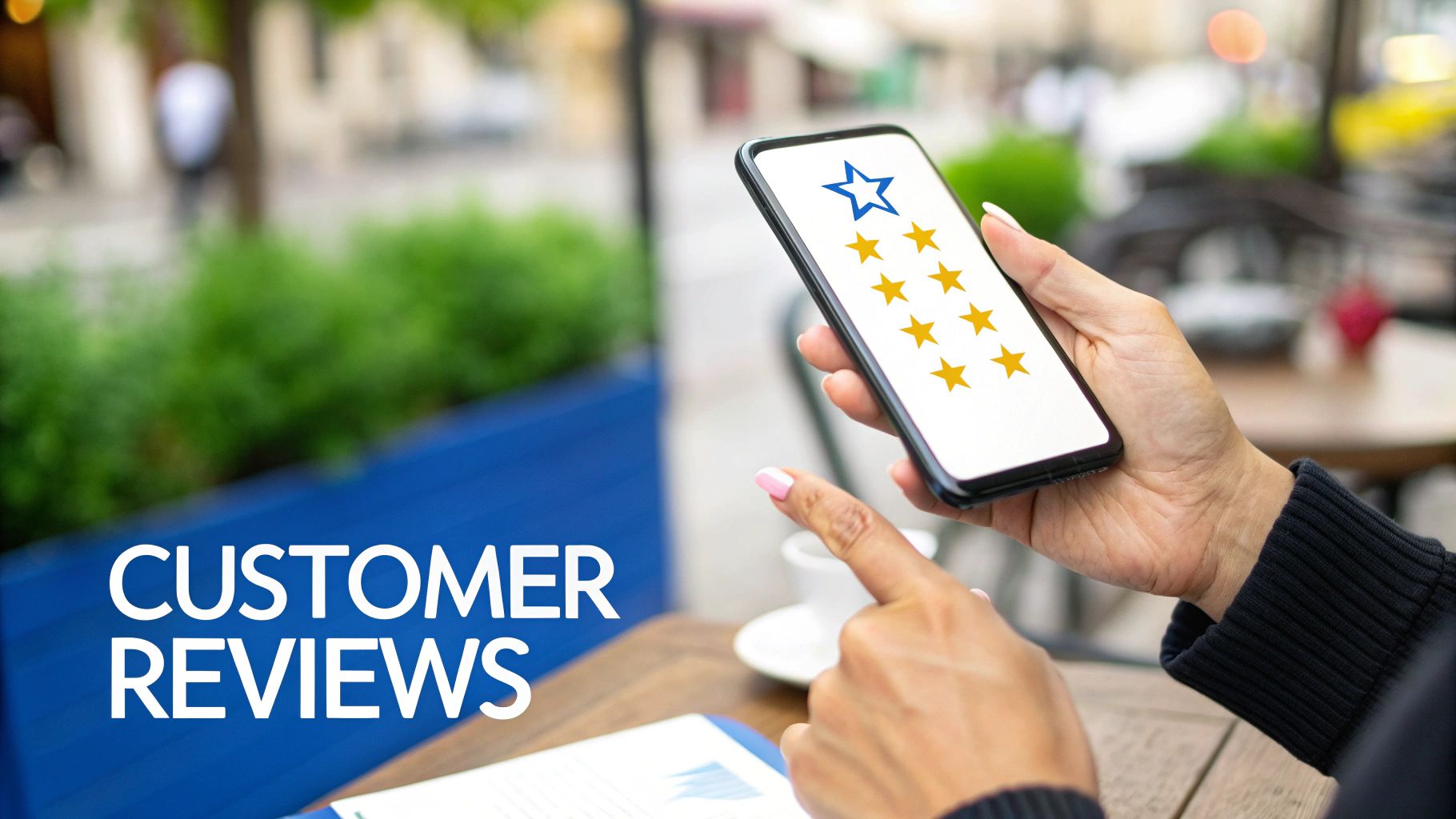
Think of social proof as the currency of modern local business. On Google, that currency is overwhelmingly positive reviews. While your photos and business description might catch a potential customer’s eye, it’s the reviews and your interactions that truly seal the deal. This is where people go to see if you actually walk the walk.
A consistent stream of genuine feedback is a powerful signal to both Google’s algorithm and your future customers. It shows you’re active, credible, and that the community values what you do. Mastering this is a cornerstone of any serious GBP optimization strategy.
Encouraging a Steady Flow of Reviews
The most reliable way to get reviews is also the most straightforward: just ask. I see so many business owners hesitate here, but the data is clear—a staggering 62% of customers are willing to leave a review if asked. The trick is to make it incredibly easy for them.
Timing is everything. You want to make the ask right after a great experience, when their satisfaction is at its peak. This could be the moment you finish a successful service call, right after a client praises your work, or as you’re wrapping up a project they love.
Here are a few simple, effective ways to do it:
- A Quick Email or Text: Send a short, personal message a day or two after your service. Crucially, include a direct link to your GBP review page to make it a one-click process. You can get this link directly from your GBP dashboard.
- On Your Invoice: Add a small, friendly note like, “Loved our service? Let us know on Google!” along with a QR code that goes straight to your review page.
- The In-Person Ask: Especially for service businesses, a simple, “We’d be so grateful if you could share your experience on Google,” can work wonders.
A Word of Caution: Never, ever offer incentives like discounts or freebies for reviews. This is a direct violation of Google’s policies and can get your reviews wiped. The goal is to earn authentic feedback, not to buy it.
The Art of Responding to Every Single Review
Responding to reviews isn’t optional; it’s a must. It shows everyone—past, present, and future customers—that you’re engaged and that you care. Thanking people for positive reviews is great, but how you handle the negative ones is where you can truly set yourself apart. The way you manage criticism can tell a potential customer more about your business than a dozen glowing five-star ratings. You can learn more about how online reviews shape your bottom line.
Here’s how to handle both sides of the coin like a pro.
Responding to a Positive Review:
- Get Personal: Use the reviewer’s name. Mention a specific detail they brought up if you can.
- Express Gratitude: A genuine “thank you” is powerful.
- Echo the Positive: Briefly touch on what they praised, like, “We’re so glad you enjoyed the quick turnaround on your project!”
Here’s a real-world example:
“Hi Jane, thank you so much for the kind words! We’re thrilled to hear that our team made the roof repair process smooth and easy for you. We really appreciate your business and hope to see you again.”
Responding to a Negative Review:
- Keep Your Cool: Never get defensive or fire back with emotion. Take a breath first.
- Acknowledge and Apologize: Acknowledge their frustration and offer a sincere apology for their bad experience. It doesn’t matter if you think they’re wrong.
- Take It Offline: This is key. Provide a direct contact—a person’s name, email, or phone number—to resolve the issue privately. This shows you’re proactive and moves a potentially messy conversation out of the public square.
And here’s how to handle a tough one:
“Hi Mark, thank you for bringing this to our attention. I’m very sorry to hear that your experience didn’t meet your expectations. Providing excellent service is our top priority, and we’d like to learn more about what happened. Please contact our manager, Sarah, directly at [email] so we can work to make this right.”
Proactively Manage Your Q&A Section
The Questions & Answers feature is probably the most underused tool on a Google Business Profile, but it’s a goldmine for getting ahead of customer concerns. Anyone can ask a question on your profile, and more importantly, anyone can answer it. If you aren’t managing this section, you’re letting strangers control your business’s narrative.
The best strategy is to get out in front of it. Seed the Q&A section yourself by asking and answering the most common questions you get from customers every single day.
Think about what you’re always asked:
- Do you offer free estimates? (A: Yes, we provide complimentary, no-obligation estimates for all projects.)
- What are your warranty terms? (A: All our new installations come with a comprehensive 5-year warranty on labor.)
- Is there parking nearby? (A: Absolutely! We have a dedicated customer parking lot right behind our building.)
- Are you licensed and insured? (A: Yes, we are fully licensed and insured in the state of [Your State]. Our license number is [Number].)
By pre-loading the Q&A with this information, you create an instant, helpful FAQ that saves everyone time, builds trust, and positions you as the transparent expert you are.
Advanced Strategies to Dominate the Local Pack
Alright, you’ve got the basics down. Your profile is complete, verified, and looks good. Now it’s time to shift gears from just being on the map to actually owning it. Getting into that coveted Google Local Pack—the top three businesses you see for local searches—doesn’t happen by accident. It takes a deliberate strategy that goes way beyond just your own profile.
These are the difference-makers. The tactics that push you past the competition who stopped after filling out the main fields. It’s about building overwhelming proof for Google that you are the local authority.
Mastering Local Citations for Unshakeable Consistency
A local citation is simply any online mention of your business’s Name, Address, and Phone number (which we call NAP). Think Yelp, industry-specific sites like Avvo for attorneys, or your local chamber of commerce page. Google’s algorithm acts like a detective, scouring the web for these mentions to confirm your business is real and located where you claim.
Here’s the catch: inconsistency kills your ranking potential. Even a tiny difference, like using “St.” on one site and “Street” on another, creates confusion for Google. That little bit of doubt is enough to drop you out of the Local Pack. Your goal is a web of perfectly consistent citations that all point back to your GBP as the single source of truth.
Don’t know where to start? Run a quick competitive audit.
- Find Your Top Competitors: Search for your main service in your city and see who’s already in the Local Pack.
- See Where They’re Listed: Use a simple Google search trick like
"Competitor Name" + "Competitor Address" -site:competitorwebsite.comto find their citations. - Build Your Hit List: Pull together a list of the most important directories where your top competitors show up. That’s your target list. Get your business listed there with a perfectly matching NAP.
This isn’t about quantity over quality. It’s about being listed in the places Google expects a legitimate business in your industry to be.
Winning “Near Me” Searches with Smart Location Keywords
Get this: a whopping 84% of GBP views come from discovery searches. That means people are typing in “plumber near me,” not your specific business name. To capture that massive audience, you have to naturally weave location-specific terms into your profile.
Your business description is the perfect place to start. Instead of a generic “We are a full-service plumbing company,” get specific. “As Missoula’s most trusted plumbers, we’ve provided emergency services to the entire Five Valleys community for over 20 years.” See the difference?
Apply that same logic to your Google Posts. When you share a photo of a recent job, mention the neighborhood. A roofer could post a picture with the caption, “Proud to wrap up this beautiful new roof for a family in Missoula’s University District.” This constantly signals your service area to Google. Since so many of these searches happen on the go, this has become absolutely critical. You can learn more about why mobile optimization is make-or-break for local businesses here.
By embedding local context into your descriptions, services, and updates, you’re not just telling customers where you are—you’re showing Google exactly which hyper-local searches your business is most relevant for.
Building Your Mini-Catalog with Products and Services
The Products and Services sections are two of the most powerful, and most overlooked, features on your profile. Don’t think of them as just a simple list. They’re a keyword-rich mini-catalog for your business, sitting right there in the search results. This is your chance to get super specific and rank for long-tail searches your main category could never catch.
Let’s say you’re a family law firm. Instead of a single service entry for “Family Law,” break it down into the actual services people search for:
- Child Custody Agreements
- Divorce Mediation Services
- Spousal Support Litigation
- Prenuptial Agreement Drafting
For each of these, write a detailed description packed with relevant keywords that explain what the service entails. For “Child Custody Agreements,” a good description might be: “Our attorneys specialize in drafting fair and enforceable child custody agreements that prioritize the well-being of your children. We handle sole custody, joint custody, and visitation rights for clients throughout Missoula County.” Now, you have a shot at ranking for a high-intent search like “lawyer for child custody agreements in Missoula.” You’ve just turned a generic profile into a detailed resource that answers a searcher’s exact need, sending you much more qualified leads.
Measuring Your Success with GBP Insights
You’ve put in the work to optimize your profile, but how do you know if it’s actually paying off? Without measuring, you’re just guessing. This is where Google Business Profile Insights becomes your best friend, turning all that effort into hard data you can actually use.
Understanding these numbers is the key to mastering your local SEO strategy. It’s how you stop wondering what customers want and start making decisions based on what they’re really doing. This is how you fine-tune your approach for steady, long-term growth.
Translating Metrics into Meaningful Intelligence
When you pop open your GBP Insights dashboard, you’ll see a bunch of data. But let’s cut to the chase—two of the most critical metrics reveal how people are finding you in the first place.
- Direct Searches: This is when someone types your business name or address straight into Google. Think of this as a measure of your brand strength and how many repeat customers are looking for you.
- Discovery Searches: This is the real goldmine. These are the people who found you by searching for a service or product you offer, like “emergency plumber” or “best coffee shop nearby.” A high number here is a clear sign your optimization efforts are successfully reeling in new customers.
Analyzing Customer Actions
It’s not just about how they find you; it’s what they do next. Insights tracks the specific actions people take right on your profile, which are often the closest thing you can get to a direct lead from your GBP.
You’ll want to keep a close eye on a few key metrics:
- Website Clicks: The number of people who clicked through to your website.
- Direction Requests: A fantastic indicator of real-world foot traffic and serious buying intent.
- Phone Calls: How many potential customers tapped that “Call” button to connect with you directly.
Tracking these actions month-over-month is where the magic happens. Let’s say you upload a gallery of photos from a recent kitchen remodel. If you suddenly see a spike in both photo views and direction requests, that’s not a coincidence. It’s solid proof that your new visual content is driving real-world interest. This is how you shift from just checking off tasks to a truly results-driven strategy.
Answering Your Top GBP Questions
As you start managing your profile, you’re bound to run into some specific questions. I see the same ones come up all the time with clients. Getting clear answers to these common sticking points can save you a ton of frustration and help you avoid rookie mistakes.
How Often Should I Actually Update My Profile?
Look, this isn’t about posting every single day. Consistency trumps frequency.
A great, manageable rhythm is to publish at least one Google Post per week. That’s enough to signal to Google that your business is active and engaged, but it won’t eat up your entire marketing schedule.
When it comes to visuals, a good goal is to add 5-10 fresh photos every month. This could be anything from new project shots and team pictures to seasonal updates of your storefront. It keeps your profile from looking stale and gives customers a reason to keep checking back. Find a routine that works for you and stick to it.
What’s the Single Biggest Mistake People Make?
I see it constantly: inconsistent NAP (Name, Address, Phone number) information scattered across the internet. It’s a silent killer for local rankings.
When Google’s crawlers see your business listed as “Main St.” on your GBP but “Main Street” on your Facebook page or “Main Ste.” on a local directory, it creates confusion. That uncertainty erodes Google’s confidence in your data. It starts to question which version is correct, and that doubt can directly hurt your visibility in the Local Pack.
If you do only one thing for your local SEO, make it this: ensure your core business information is 100% identical everywhere it exists online. This is the bedrock of a strong local presence; everything else is built on top of it.
Can I Get a Bad Review Taken Down?
Honestly, it’s a long shot. Google has very strict criteria for review removal, and simply being negative isn’t one of them.
You can only successfully flag reviews that clearly violate their content policies. Think things like:
- Spam or fake content (e.g., from a fake account)
- Hate speech or harassment
- A clear conflict of interest (e.g., a review from a disgruntled ex-employee or a competitor)
A customer sharing their genuine, albeit negative, experience almost never qualifies for removal.
Your energy is much better spent on damage control. A prompt, professional, and empathetic public reply can completely reframe the situation. It shows other potential customers that you listen to feedback and are dedicated to making things right. That response often builds more trust than a flawless five-star rating ever could.
Ready to turn your Google Business Profile into a powerful, lead-generating asset? The team at Oaklea Media Solutions LLC specializes in compliance-focused optimization for legal, medical, and trade businesses. We combine proven SEO with forward-thinking GEO strategies to build lasting visibility and trust. Start your growth journey with us today.
Article created using Outrank