How to optimize website for search engines: Complete Guide
If you get the technical side of SEO wrong, nothing else matters. You can have the best content in the world, but if search engines can’t find, crawl, and understand it efficiently, you’re essentially invisible. Building a rock-solid technical foundation is the first, non-negotiable step.
Laying the Technical SEO Foundation
Think of search engine crawlers as librarians trying to catalog an enormous, chaotic library—your website. Without clear directions, they can get lost, miss important pages, or just give up. Your job is to give them a map and clear pathways.
This means focusing on a few core areas right from the start:
- Logical Site Architecture: A flat, intuitive structure is key. For example, a user should be able to get from your homepage to any important product or service page in three clicks or less.
- Crawler Directives: Your
robots.txtfile and XML sitemap are your direct lines of communication with search bots. Use them wisely to guide crawlers to your important content and keep them away from irrelevant pages. - Site Security: Switching to HTTPS is no longer optional. It’s a baseline requirement for trust and rankings, showing users and browsers that data exchanged with your site is encrypted and secure.
- Mobile Experience: Your site has to be fast and functional on a phone. Period. This means buttons are easy to tap, text is readable without zooming, and pages load quickly over a cellular connection.
Get Your Site Structure Right
A clean, logical site structure is your secret weapon. The goal is a “flat” hierarchy, meaning no page should take more than three clicks to reach from the homepage.
I’ve seen e-commerce sites with deeply nested categories where product pages were five or six clicks deep, like Home > Men's > Apparel > Shirts > T-Shirts > Product Page. After we flattened the architecture to something like Home > Men's Shirts > Product Page, some of those buried products saw their visibility jump by 20%. It’s that critical.
This infographic breaks down the essential flow of technical SEO, from structuring your site to guiding bots and running audits.
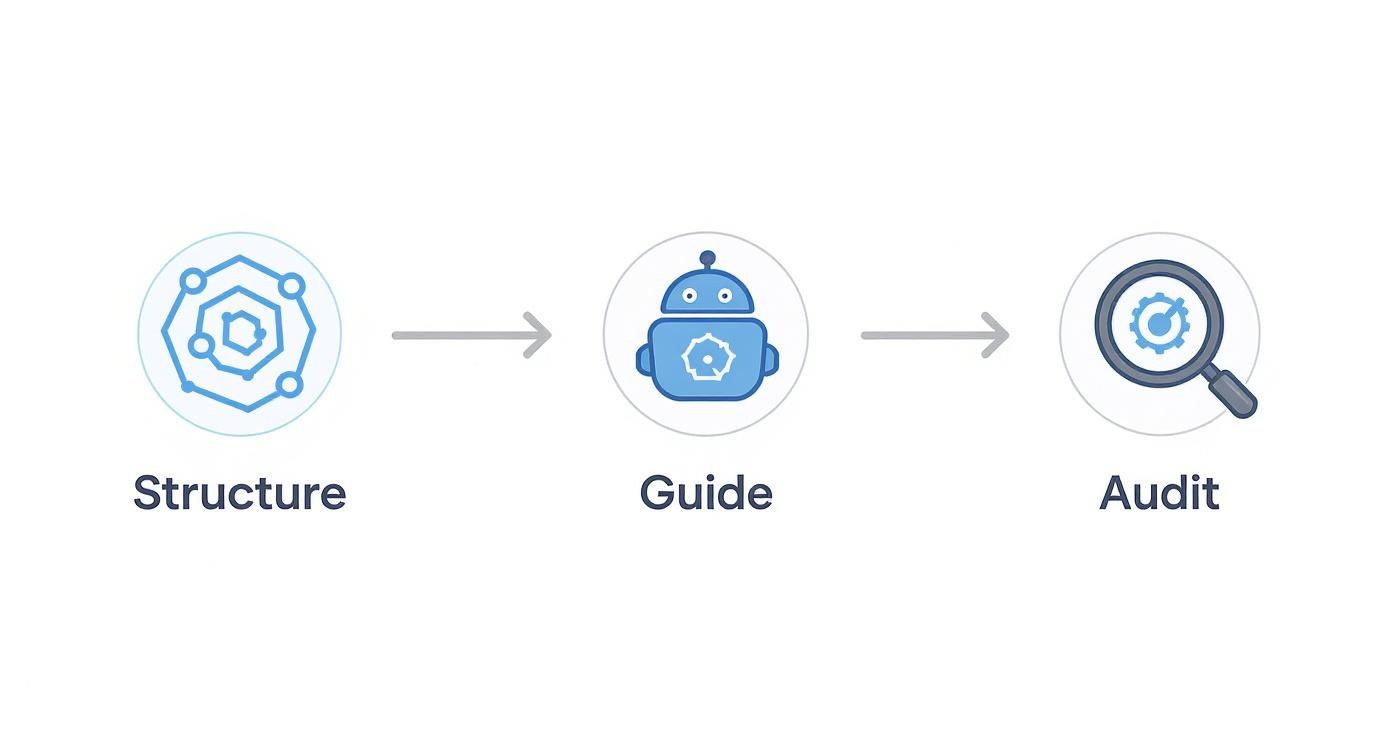
As you can see, each step builds on the last. If you skip the early configurations, you’ll inevitably run into indexing problems and crawler errors down the line.
Master Your Robots.txt and XML Sitemap
Your robots.txt file is like a bouncer for your website. It tells search bots which areas are off-limits (like admin folders or internal search results) and which are open for business. A simple instruction like Disallow: /wp-admin/ prevents Google from wasting its crawl budget on your private login pages. Get this wrong, and you might accidentally block your most important content with a command like Disallow: /blog/.
Once you’ve set the rules with robots.txt, you hand the bots your XML sitemap. This is a comprehensive list of every important URL you want them to index. You can submit it directly through Google Search Console to speed up discovery and monitor for any indexing issues.
Run a Technical Audit (and Don’t Skip It)
You can’t fix what you don’t know is broken. Regular technical audits are your diagnostic check-up, catching things like broken links (404 errors), duplicate content, or schema markup errors before they tank your rankings.
Tools like Screaming Frog, GTmetrix, and Google PageSpeed Insights are invaluable here. For example, running a crawl with Screaming Frog can quickly generate a list of all pages with a 404 error, allowing you to implement 301 redirects to the most relevant live page, preserving link equity and improving user experience.
And remember, technical SEO doesn’t exist in a vacuum. It works hand-in-hand with content. Research consistently shows that long-form content (think 3,000+ words) absolutely crushes it, generating 3x more traffic and 3.5x more backlinks than shorter posts. With organic search driving about 94% of all web traffic, a solid technical base that supports great content is a powerful combination. In fact, technical SEO can deliver a 117% ROI and often pays for itself within six months. You can dig into more of these stats over at AIOSEO.
Don’t Forget HTTPS and Mobile Speed
If your site isn’t on HTTPS, stop what you’re doing and fix it now. It’s a direct signal to Google (and users) that your site is secure. Browsers will even display “Not Secure” warnings for sites still using HTTP, which can kill your credibility instantly.
Beyond that, mobile performance is everything. Practical steps include compressing images with a tool like TinyPNG before uploading, deferring non-critical scripts like social media widgets so they load after the main content, and leveraging browser caching so repeat visitors don’t have to re-download your entire site. A slow mobile site is a one-way ticket to the bottom of the search results.
With these fundamentals in place, you’ve built the launchpad for all your other SEO efforts. Your site is now primed for higher rankings, more traffic, and a much better user experience.
Create Content That Ranks and Converts
Once you’ve got the technical nuts and bolts of your site tightened up, it’s time to focus on what really drives your SEO: the content. Think of it this way: your website is the car, but your content is the fuel. Without high-quality, engaging content, even the most technically perfect website is just sitting in the garage, going nowhere.
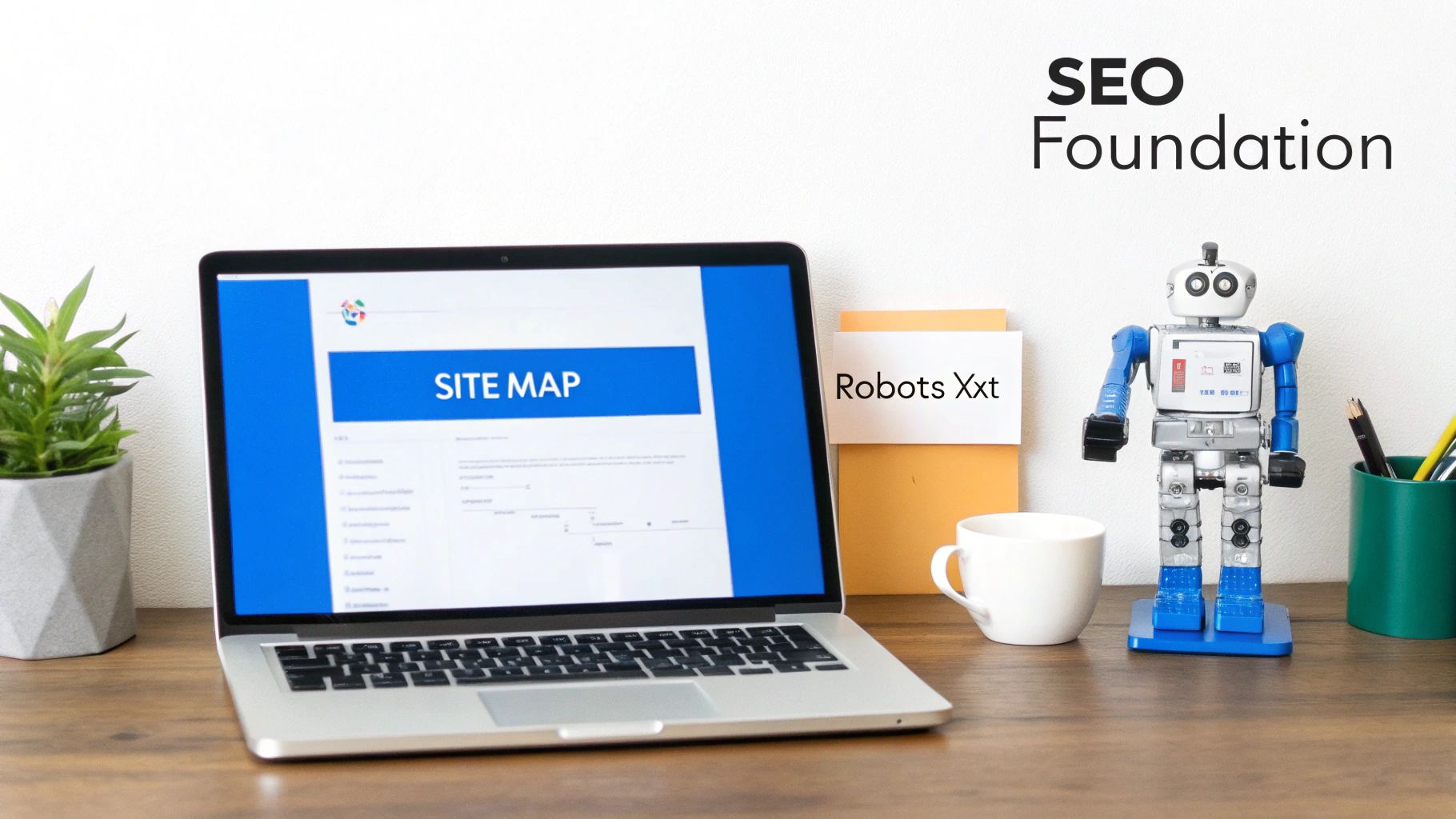
This whole process kicks off long before you even think about writing. It starts with getting inside the head of your potential customers and figuring out what they’re actually looking for.
Uncover Search Intent with Strategic Keyword Research
Keyword research isn’t just about finding popular phrases to cram into your articles. It’s really about decoding why someone is searching in the first place. Every time a person types something into Google, they have a mission.
Are they just gathering information (“how to fix a leaky faucet”)? This is informational intent. Maybe they’re comparing their options (“best plumbers in Missoula”)? That’s commercial investigation. Or are they ready to pull the trigger and hire someone right now (“emergency plumbing service near me”)? That’s transactional intent. Your content has to match that specific intent perfectly.
For instance, a contractor going after the keyword “DIY kitchen remodel” needs to create a helpful, in-depth guide with step-by-step instructions, not a pushy sales page. But for a keyword like “kitchen remodeling contractors,” that content should absolutely be about their services, showcasing their portfolio with a clear way to get in touch. If you get this alignment wrong, you’re practically inviting people to hit the back button.
Key Takeaway: Success in SEO hinges on creating content that answers a user’s question or solves their problem better than anyone else. Every piece should serve a specific purpose tied directly to what your audience needs.
Craft Authoritative, In-Depth Content
After you’ve nailed down your target keyword and its intent, your mission is to create the absolute best resource available on that topic. This isn’t about just meeting the standard; it’s about setting it. For example, if the top-ranking posts for “how to install vinyl plank flooring” are 1,500 words with 10 photos, your goal should be to create a 2,500-word guide with detailed photos for each step, an embedded video tutorial, and a downloadable tool checklist. Go deeper than your competitors, offer unique insights they missed, and provide real, actionable advice.
The stakes are incredibly high. Google fields a mind-boggling 190,000 searches per second and dominates with over 90% of the search market. That top organic spot is prime real estate, capturing a massive 27.6% to 39.8% of all clicks. In fact, roughly 75% of searchers never even bother going to the second page. Just moving from the second position to the first can juice your click-through rate by over 74%. These stats, highlighted in research from experts like Backlinko, show why creating top-tier content isn’t just a good idea—it’s essential.
Weave Keywords into On-Page Elements Naturally
This is where we get into the nuts and bolts of on-page SEO. It’s the art of signaling to search engines what your page is all about by placing your primary keyword and related terms in key spots—without sounding like a robot.
To make this dead simple, I’ve put together a quick checklist. Run through this every single time you publish a new page or post.
On-Page SEO Element Checklist
| On-Page Element | Best Practice Example | Why It Matters |
|---|---|---|
| Title Tag | 5 Common Plumbing Issues & How to Fix Them | ABC Plumbing | This is your headline in Google search results. It needs to be compelling and include the main keyword. |
| Meta Description | Notice a leaky faucet or a slow drain? Our expert guide covers 5 common plumbing problems you can tackle yourself. Get fast, DIY solutions. | This is your ad copy. It doesn’t directly affect ranking, but it convinces people to click on your result instead of someone else’s. |
| H1 Header | <h1>How to Fix the 5 Most Common Plumbing Problems</h1> | Your page’s main title. It should contain your primary keyword and tell the user they’re in the right place. |
| H2/H3 Subheadings | <h2>Fixing a Leaky Faucet</h2> | These break up your content and add structure. Use keyword variations to provide context for both readers and search engines. |
| Image Alt Text | alt="veteran-owned business owner reviewing website analytics" | Describes the image for screen readers and search engines. It’s a great, natural place to include a relevant keyword. |
| URL Slug | .../blog/common-plumbing-problems | Keep it short, clean, and descriptive. It should ideally include your main keyword. |
Think of this table as your pre-flight checklist. Getting these small details right consistently is what separates pages that rank from those that don’t.
Build a Smart Internal Linking Structure
Internal links are the threads that weave your website together. They guide both your visitors and search engine crawlers from one page to another, and a smart strategy here pays off in two huge ways.
First, it creates a much better experience for your users. By linking to other relevant articles, you help them find more useful information, which keeps them on your site longer. Second, it strategically passes link equity (sometimes called “link juice”) between your pages, which tells search engines which pages on your site are the most important.
Here’s a practical example: Say you just published a new blog post on “HIPAA-compliant marketing for medical practices.” You should find older, authoritative pages on your site—like a comprehensive guide to digital marketing for doctors—and add a link from there to your new post. And instead of using generic text like “click here,” use descriptive anchor text like “learn more about our HIPAA-compliant marketing.” This simple habit helps establish your site’s authority on a topic and gives your new content an immediate ranking boost.
Build Authority with Local SEO and Link Building
A technically sound website with killer content is a fantastic start, but it’s only half the battle. To really move the needle in search rankings, you have to build authority. This means showing Google you’re a trusted, relevant resource in your space, and the two most powerful ways to do that are through local SEO and link building.
Whether you’re a contractor serving a single city or a law firm with a national footprint, these tactics send the trust signals that Google loves. The result? Higher rankings and, more importantly, a steady stream of qualified traffic.
Dominate Your Local Market
For any business that serves a specific geographic area—think medical practices, law firms, and home service contractors—winning at local search isn’t optional. It’s everything. When a potential client searches for “plumber in Missoula” or “family lawyer near me,” you absolutely have to show up in Google’s coveted “map pack.”
This all comes down to your Google Business Profile (GBP). Think of it as your digital storefront. Keeping it meticulously updated is one of the highest-impact activities you can possibly do for your local visibility.
Here’s what a perfectly optimized GBP looks like:
- Complete and Accurate Info: Your business name, address, and phone number (NAP) must be identical everywhere. This means if your GBP says “Suite 100,” your website and other listings shouldn’t say “Ste. 100.” The slightest inconsistency can confuse search engines and hurt your credibility.
- Smart Category Selection: Be specific. Don’t just pick “Lawyer.” Choose “Family Law Attorney” as your primary category, then add relevant secondary ones like “Divorce Lawyer” or “Child Custody Attorney.”
- Fresh Photos and Videos: Get in the habit of regularly uploading high-quality images of your team, your office, or your work in action. A plumber could upload before-and-after photos of a recent job, which builds immense trust.
- A Stream of Positive Reviews: Make it easy for happy clients to leave reviews. For instance, send a follow-up email after a service call with a direct link to your GBP review page. Then, make sure you respond to every single one—the good and the bad.
A well-managed Google Business Profile is the cornerstone of local SEO. It’s often the first interaction a potential customer has with your brand, and it directly influences your ranking in local map results.
Once your profile is dialed in, it’s time to build local citations. A citation is just a mention of your business’s NAP on other trusted websites like Yelp, Angi, or industry-specific directories. The name of the game is consistency. Every mention across the web needs to match your GBP information exactly. For a more detailed walkthrough, our comprehensive guide on how to optimize your Google Business Profile has a step-by-step checklist to get you started.
Earn Authority with High-Quality Backlinks
While local SEO is a must for geo-specific businesses, link building is non-negotiable for everyone. Backlinks are simply links from other websites pointing to yours. Search engines see them as votes of confidence. Getting a link from a reputable, relevant site is one of the most powerful signals you can send that your content is trustworthy and valuable.
But let’s be clear: not all links are created equal. One link from a major industry publication is worth more than a hundred links from low-quality, spammy directories. The goal is quality over quantity, always.
Sustainable Link-Building Strategies
Forget about risky, “black-hat” tactics like buying links. That’s a fast track to a Google penalty. Instead, focus on strategies that build real, lasting authority.
- Create “Link-Worthy” Content: This is the foundation of it all. You have to create something people actually want to link to. Think ultimate guides, original research, or genuinely helpful tools. A veteran-owned business, for example, could create a definitive guide to VA loan benefits for entrepreneurs that becomes the go-to resource on the topic, earning natural links from veteran support groups and business blogs.
- Resource Page Link Building: This is a classic for a reason. Find websites in your niche that have “resource” or “links” pages for their audience. If you have a piece of content that would be a perfect fit—like your VA loan guide—reach out to the site owner and politely suggest they add it.
- Targeted Outreach: Identify non-competing blogs or publications that your ideal customer reads. Don’t just spam them. Build a genuine relationship with the editors or authors. When the time is right, you can pitch a guest post where you share your expertise. You’ll earn a valuable backlink and position yourself as a thought leader at the same time.
The right way to think about link building isn’t as a technical trick, but as a form of digital PR. You’re creating valuable assets and building real relationships that result in natural, authoritative endorsements from other sites. Combine this with a laser-focused local strategy, and you’ll build the trust you need to climb the rankings and connect with your ideal customers.
How User Experience Impacts Your SEO (And What to Do About It)
Gone are the days when SEO was just about stuffing keywords onto a page for search engine bots. Now, Google pays incredibly close attention to how real people engage with your website. If your site is slow, confusing, or just plain frustrating, visitors will leave in a heartbeat. That “bounce” is a massive red flag to Google, telling it your page probably isn’t the best answer to a searcher’s query.
Think of it this way: improving the user experience (UX) is one of the most powerful, albeit indirect, ways to boost your rankings. When people stick around, click through to other pages, and easily find what they need, you’re sending all the right signals. You’re telling search engines that your content is genuinely valuable and deserves to be shown to more people.
Getting a Handle on Core Web Vitals
You’ve probably heard technical SEO folks throw around the term Core Web Vitals. Don’t let the name intimidate you. These are simply three specific metrics Google uses to measure how a visitor actually experiences your page.
- Largest Contentful Paint (LCP): This is all about loading speed. How long does it take for the biggest thing on the screen—usually a banner image or a large block of text—to fully load? You’re aiming for under 2.5 seconds. A common culprit for poor LCP is an unoptimized, high-resolution hero image.
- Interaction to Next Paint (INP): This one measures how responsive your site is. When someone clicks a button or opens a menu, how quickly does something happen? A good INP score means your site feels snappy and quick; a bad one makes it feel sluggish and broken. Heavy JavaScript files are often the cause of poor INP.
- Cumulative Layout Shift (CLS): This is about visual stability. You know when you try to click a link, and an ad suddenly loads, pushing the whole page down so you click the ad instead? That’s a layout shift, and it drives users crazy. A low CLS score means your page is stable and doesn’t jump around as it loads.
Curious about your own site? You can get a free report card from Google’s PageSpeed Insights tool. It will show you exactly how you’re doing and even give you practical suggestions, like “serve images in next-gen formats” or “eliminate render-blocking resources.”
Don’t Make People Think
Speed is just one piece of the puzzle. The overall design and flow of your site are just as important. Your navigation needs to be dead simple. Can a new visitor find your services or contact info in just a couple of clicks? For example, your phone number should be prominently displayed in the header on every page, not buried in the footer. If they have to go on a scavenger hunt, they’ll just leave and find a competitor whose site is easier to use.
This is absolutely non-negotiable on mobile, where most of your customers are probably finding you anyway. A website that’s a nightmare to use on a phone is a serious business liability today. We’ve seen it time and time again. If you need to dig into this further, we have a whole guide on why mobile optimization is make-or-break for local businesses.
Your website’s navigation is like the aisle signage in a grocery store. If it’s confusing or poorly labeled, shoppers will leave without finding what they came for, even if you have it in stock.
Readability and Trust are Everything
Once someone lands on your page, you have to make the information easy to digest. Nobody wants to be greeted by a massive wall of text. It’s an instant turn-off.
Break up your content and make it scannable with these simple tricks:
- Keep paragraphs short: Aim for just two or three sentences each. This is especially important for mobile readers.
- Use clear subheadings: H2s and H3s act like signposts, guiding readers through your content.
- Lean on lists: Bullet points and numbered lists are perfect for breaking down information into bite-sized pieces.
Finally, a good user experience is built on trust. This is where Google’s E-E-A-T (Experience, Expertise, Authoritativeness, and Trustworthiness) guidelines are so important. You can build this trust by being transparent. Show people who’s behind the content with clear author bios that link to their social profiles. Make your “About Us” and “Contact” pages easy to find. For our clients in the legal and medical fields, this isn’t just a suggestion—it’s essential for showing credibility and compliance to both your audience and the search engines.
Adapt Your Strategy for an AI-Powered Future
The old playbook of just doing manual SEO checks is quickly becoming obsolete. Google’s AI Overviews are now a major factor, showing up in roughly 13% of search results. That’s a huge shift, and it means we have to adjust our tactics.
It’s no longer just about ranking in the classic blue links. Now, we’re optimizing for AI visibility and human engagement. This means creating structured, easy-to-digest answers and getting a whole lot smarter about how we measure success.
Adapt Content for AI Overviews
Think about what AI Overviews do: they pull concise, direct answers and feature them right at the top of the page. To get your content featured, you need to think the same way. Start your articles with a one-sentence answer to the user’s query.
For example, if you’re writing a guide on “how to unclog a kitchen sink,” your first sentence should be something like: “To unclog a kitchen sink, you can typically use a combination of boiling water, baking soda, vinegar, and a plunger.” Then, immediately break down the steps into a bulleted or numbered list. This kind of structure is perfect for both a scanning user and an AI looking for a quick, authoritative answer.
- Lead with a one-sentence summary that directly addresses the main keyword, like “how to optimize a website for search engines.”
- Break down processes into clear bullet points or numbered lists.
- Bold key terms to help AI instantly recognize what’s important.
Key Takeaway
Clean, structured content that gets straight to the point gives you a much better shot at landing in those AI-generated results.
Use AI Tools Responsibly
AI tools are fantastic for speeding up research, but they’re not a replacement for human expertise. I’ve seen too many people blindly follow AI suggestions without validating them. Always, always cross-check what the AI gives you with real user data.
- Keyword Research: Let an AI tool generate a list of related terms for “plumbing services.” Then, use a trusted keyword tool to check the actual search volumes and user intent. You might find the AI suggested “hydro-jetting,” but the data shows more people search for “clear clogged drain.”
- Content Ideation: AI can draft a solid outline in seconds. Your job is to flesh it out with your unique experience, real-world examples, and personal insights that an AI could never replicate.
- Technical Analysis: An automated audit is a great starting point, but you must manually verify any critical errors or recommendations before implementing fixes. An AI might flag a page as “thin content,” but you know it’s a critical legal disclaimer that must remain as is.
This approach keeps you from becoming over-reliant on the tech and ensures your content remains authentic, accurate, and truly helpful.
Test AI Drafts with A/B Experiments
One of the best things about AI is its ability to generate variations instantly. Need ten different headlines for a blog post? An AI can spit them out in seconds. But which one is the best? You have to test them.
Use a tool like Google Optimize or VWO to run simple A/B tests. On one campaign, we saw a 15% lift in click-through rate just by testing AI-generated headlines against our own.
- Create two versions of a meta title based on AI suggestions. For example, Version A: “5 Ways to Lower Your Energy Bill” vs. Version B: “Cut Your Electric Bill with These 5 Tips.”
- Run them in a 50/50 split for a week or two.
- Jump into Search Console and compare the impressions and CTR. Let the data decide the winner.
Pro Tip
A/B testing is how you turn AI’s creative ideas into hard, data-backed wins.
The integration of AI is fundamentally reshaping SEO in 2025. We’ve seen AI-powered Overviews jump from 6.49% of Google searches at the start of the year to 13.14% by March. These numbers, highlighted in reports from places like SEMrush, show that AI isn’t just a trend; it’s the new reality.
In fact, AI-generated content is now part of about 19% of all Google results. Businesses are seeing the benefits, with 70% reporting faster content production and 58% of marketers noting improved personalization. This all comes at a time when Google’s overall global search traffic saw a 7.91% dip from 2023 to 2024. The message is clear: adapt or get left behind.
Marketers who have fully embraced AI-powered SEO platforms are tracking nearly three times as many metrics as those who haven’t. This data-first mindset is what will set you up for long-term growth.
Measure What Matters
So, how do you optimize a website in an AI-driven world? It all comes back to measurement. Your core tools are still Google Analytics and Google Search Console.
First things first, make sure GA4 is properly installed. You’ll need to add its tracking snippet into the <head> section of your site.
window.dataLayer = window.dataLayer || [];
function gtag(){dataLayer.push(arguments);}
gtag(‘js’, new Date());
gtag(‘config’, ‘G-XXXXXXX’);
Next, get Search Console set up by submitting your /sitemap.xml and going through the domain verification process.
Once you’re set up, keep a close eye on these key metrics:
- Organic Traffic: The classic indicator of overall growth. Are you seeing an upward trend month over month?
- Keyword Rankings: Are you still visible for your most important terms? Use Search Console’s Performance report to track your average position for key queries.
- Conversion Rates: Specifically, track conversions on pages you’ve optimized for AI snippets. For example, set up a goal in GA4 to track form submissions on a specific landing page.
- Zero-Click Searches: Understand how often users get their answer without clicking, and adapt accordingly by making sure your brand name is prominent even in the snippet.
Combine these classic metrics with reports from your AI tools to spot opportunities nobody else is seeing. And if you really want to get ahead, check out our guide on using schema for AI optimization to give search engines an even clearer picture of what your content is about.
By focusing on structured content, using AI as a smart assistant (not a replacement), and measuring everything, you’ll be well-positioned to thrive.
Your Next Steps
- Schedule quarterly SEO audits that specifically include checking for your visibility in AI results, and don’t forget to back it up with a manual review.
- Train your team on how to write effective prompts and, especially for legal or medical clients, how to ensure compliance.
- Document every significant change you make and review performance monthly. This is how you learn and refine your process.
Frequently Asked SEO Questions
https://www.youtube.com/embed/_s2h7X-c2jE
When it comes to search engine optimization, I find that business owners often have the same handful of questions. Let’s cut through the jargon and get you some straight answers based on years of real-world experience.
How Long Does It Take to See SEO Results?
This is the big one, and the honest answer is: it’s a marathon, not a sprint. While you might see a small bump from fixing a technical issue right away, seeing significant movement—like hitting the first page for keywords that actually matter—usually takes somewhere between four to twelve months.
A few things will speed up or slow down that timeline:
- Your Market: If you’re a local contractor in a smaller town, you’ll likely see results faster than a national law firm fighting for space in a huge, competitive market like New York City.
- Your Website’s History: A brand-new website is starting from ground zero and needs to build trust from scratch. An older site with a solid history has a bit of a head start because it already has some authority.
- Your Investment: The more consistently you can put resources into creating great content and improving your site’s health, the quicker you’ll build momentum. A business publishing one high-quality, in-depth blog post per week will see results faster than one publishing a short post once a month.
Think of it like building a solid reputation in your community. It doesn’t happen overnight; it takes steady, consistent effort to earn trust and become the go-to name.
How Much Should I Budget for SEO?
SEO costs are all over the map. You might see offers for a few hundred dollars a month for some basic local tasks, while a full-blown national campaign can easily run into the thousands. The right budget really boils down to your goals, your industry, and how tough your competition is.
Instead of asking, “How much does it cost?”, I always encourage clients to ask, “What’s my potential return on this investment?” If a lead from organic search is worth $500 to your business, and a solid SEO campaign can bring in 10 new leads per month, the investment quickly pays for itself.
For a small business looking to get serious, a typical starting point for a professional, results-driven campaign is often between $1,500 and $5,000 per month.
Can I Do SEO Myself?
Absolutely! If you have the time and the desire to learn, you can definitely tackle your own SEO, especially when you’re just getting started. There are fantastic free tools from Google, like Search Console and Analytics, that give you a ton of valuable data.
The real trade-off here is your time. Good SEO requires a consistent commitment to creating content, keeping an eye on the technical side of things, and building relationships for links. As your business picks up, you’ll probably find your time is better spent working with your customers. That’s the point when partnering with a specialist can be a game-changer.
My Takeaway
DIY SEO is a fantastic way to learn the ropes and get started. As you grow, outsourcing lets you tap into deep expertise while you focus on what you do best—running your business.
What SEO Tools Are Essential for Beginners?
You don’t need to break the bank on a huge software suite to get started. A few core tools will give you all the information you need to make smart, data-backed decisions.
If you’re a new business or going the DIY route, here’s what I’d consider non-negotiable:
- Google Search Console: This is your direct line of communication with Google. It tells you exactly what keywords you’re showing up for, flags any technical problems on your site (like mobile usability issues or pages that aren’t indexed), and shows you your overall performance in search results. It’s a must-have.
- Google Analytics 4: This tool shows you what people do after they click through to your site. You can see which pages are most popular, how visitors navigate around, and which traffic sources (like organic search, social media, etc.) bring in the most engaged users.
- A Keyword Research Tool: You can get started with free options like Google’s own Keyword Planner. Once you have a bit of a budget, graduating to an affordable paid tool will give you much richer insights into keyword difficulty and competitor strategies.
With just these three, you have a solid foundation for your entire SEO strategy. You’ll have the data to understand your audience and actually measure what’s working.
Ready to stop guessing and start growing? Oaklea Media Solutions LLC combines proven SEO strategies with a deep understanding of compliance for industries like law and medicine, helping you build a powerful, sustainable presence online. Schedule a complimentary discovery call with us today and let’s create a clear path to your digital marketing goals.
Article created using Outrank
To effectively optimize websites for search engines, you must understand the importance of technical SEO as well as quality content.